

Online video is hot. (Yeah, and people gamble in casinos, I know; what a profound observation of the blatantly obvious.) According to Compete.com, YouTube had nearly 86 million unique visitors and more than half a billion site visits last month. Business-friendly video sites like Vimeo, Viddler and Blip.tv are also seeing impressive traffic growth.
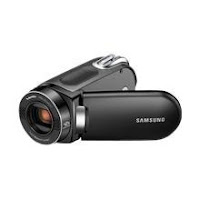 But small businesses who want to take advantage of online video can be caught in a quandary. Shooting a basic home-video style piece with a Flip Mino or Samsung SMX-F34 (my personal favorite YouTube-friendly camcorder) may not project sufficient sophistication, while a professionally-produced video costing $8,000-$10,000 or more is simply not in the budget.
Here are six options for producing reasonably high-quality online videos, or at least something beyond standard home video camera fare, at a modest cost.
Convert PowerPoint to Flash
While Flash programming is a challenging and specialized skill few business people probably want to master, almost everyone can use PowerPoint. There are several tools available for converting manual or self-running animated PowerPoint presentations to Flash, with or without narration. Robin Good reviews three tools: E.M. PowerPoint Video Converter ($46), Lecturnity ($215), and iSpring PRESENTER. Other options include PresentationPro's PowerCONVERTER ($149) and PowerFlashPoint ($199). Your best bet is take advantage of the free trials offered by most vendors to find out which product works best for you.
Capture Screen Action with Camtasia or Captivate
Both Camtasia Studio ($299 from TechSmith) and Captivate ($799 from Adobe) enable you to capture any on-screen action (e.g. a software demo, PowerPoint presentation, online video) along with narration, edit the production, and output the final result to a variety of common file formats including Flash. Captivate offers greater options for interactivity, but also a significantly higher price tag. Either will work for basic screen-to-video production.
Jing
 For really limited budgets—and simple needs—Jing Pro provides the ability to capture any on-screen action (including web video), add commentary, and upload it to YouTube with one button. The negligible $14.95 annual fee even includes a free 2GB Screencast account. Editing capabilities are limited, but the price makes it worth checking out for straightforward needs.
Faculte
 Though technically more of a video distribution platform than a production tool (similar to Flimp), Faculte does offer some useful video assembly functions, such as the ability to upload video and images; arrange the elements; add narration; and add notes, drawings and annotations to the video mix. Pricing starts at free, which includes full video editing/production features, but is limited to 200 views. The $50/month base plan allows 4,000 views, plus adds advanced viewer tracking, the ability to use a unique URL for the video, and faster load times than the free option.
ArticleVideoRobot
Got the need for speed? ArticleVideoRobot will turn any written article into a narrated video in minutes, no camera needed. The basic package ($47/month) provides basic editing capabilities; one-click distribution to 17+ video sites including YouTube, Metacafe, Break, Vimeo, etc.; and a choice of "human-like" voices to narrate your video. The Pro package ($97/month) offers higher video quality, a Flash output option, and an advanced video editing tool. Since you aren't recording your own narration, the results can be...interesting.
SlideSix
With SlideSix , you can upload a presentation (e.g. from PowerPoint or OpenOffice), record audio and narration, attach external video files, and create a widget to share your SlideSix presentations on your blog. Though editing, distribution and formatting options are more limited than with other tools, SlideSix is free. Here is an overview of how to use SlideSix, enjoy!
With the explosive proliferation of online video, the key to making your video stand out is creativity. To maximize the impact of your video production, think beyond conventional ideas both in terms of your content and your video production options.
*****
Contact Mike Bannan: Mike@digitalrdm.com
 But small businesses who want to take advantage of online video can be caught in a quandary. Shooting a basic home-video style piece with a Flip Mino or Samsung SMX-F34 (my personal favorite YouTube-friendly camcorder) may not project sufficient sophistication, while a professionally-produced video costing $8,000-$10,000 or more is simply not in the budget.
Here are six options for producing reasonably high-quality online videos, or at least something beyond standard home video camera fare, at a modest cost.
Convert PowerPoint to Flash
While Flash programming is a challenging and specialized skill few business people probably want to master, almost everyone can use PowerPoint. There are several tools available for converting manual or self-running animated PowerPoint presentations to Flash, with or without narration. Robin Good reviews three tools: E.M. PowerPoint Video Converter ($46), Lecturnity ($215), and iSpring PRESENTER. Other options include PresentationPro's PowerCONVERTER ($149) and PowerFlashPoint ($199). Your best bet is take advantage of the free trials offered by most vendors to find out which product works best for you.
Capture Screen Action with Camtasia or Captivate
Both Camtasia Studio ($299 from TechSmith) and Captivate ($799 from Adobe) enable you to capture any on-screen action (e.g. a software demo, PowerPoint presentation, online video) along with narration, edit the production, and output the final result to a variety of common file formats including Flash. Captivate offers greater options for interactivity, but also a significantly higher price tag. Either will work for basic screen-to-video production.
Jing
 For really limited budgets—and simple needs—Jing Pro provides the ability to capture any on-screen action (including web video), add commentary, and upload it to YouTube with one button. The negligible $14.95 annual fee even includes a free 2GB Screencast account. Editing capabilities are limited, but the price makes it worth checking out for straightforward needs.
Faculte
 Though technically more of a video distribution platform than a production tool (similar to Flimp), Faculte does offer some useful video assembly functions, such as the ability to upload video and images; arrange the elements; add narration; and add notes, drawings and annotations to the video mix. Pricing starts at free, which includes full video editing/production features, but is limited to 200 views. The $50/month base plan allows 4,000 views, plus adds advanced viewer tracking, the ability to use a unique URL for the video, and faster load times than the free option.
ArticleVideoRobot
Got the need for speed? ArticleVideoRobot will turn any written article into a narrated video in minutes, no camera needed. The basic package ($47/month) provides basic editing capabilities; one-click distribution to 17+ video sites including YouTube, Metacafe, Break, Vimeo, etc.; and a choice of "human-like" voices to narrate your video. The Pro package ($97/month) offers higher video quality, a Flash output option, and an advanced video editing tool. Since you aren't recording your own narration, the results can be...interesting.
SlideSix
With SlideSix , you can upload a presentation (e.g. from PowerPoint or OpenOffice), record audio and narration, attach external video files, and create a widget to share your SlideSix presentations on your blog. Though editing, distribution and formatting options are more limited than with other tools, SlideSix is free. Here is an overview of how to use SlideSix, enjoy!
With the explosive proliferation of online video, the key to making your video stand out is creativity. To maximize the impact of your video production, think beyond conventional ideas both in terms of your content and your video production options.
*****
Contact Mike Bannan: Mike@digitalrdm.com
Comments
Thanks.
Robin Low
http://life-in-boston.blogspot.com/